Submission guide
How to submit an app to Shiptavio
You send the source. We review it, build it with our certificates, and submit it to the App Store and Google Play. This is the same flow you will see in the dashboard, with the parts that stop most submissions called out.
Preflight
Before you start
Most delays come from the same few gaps: a binary instead of source, missing screenshots, or an API still pointing at localhost. Get these ready and the form takes one sitting. Your answers stay in this browser as a draft until you submit.
An account
Email and password, or Google. Email accounts confirm a 6-digit code before the first sign-in.
The source
A GitHub repository (private is fine) or a project zip up to 200 MB. Not an .ipa or .aab.
Listing assets
App icon, screenshots, and the Android feature graphic at the exact sizes the stores require.
Privacy policy
Paste the text and we host it, or give us a public URL that already works.
A demo account
Required if your app has a login. Reviewers must be able to sign in without asking you.
Production endpoints
Every API call must use HTTPS. localhost, 127.0.0.1, 10.0.2.2, and LAN addresses are rejected.
An allowed, free app
No paid apps or in-app purchases. Check the prohibited list before you spend time on the form.
Read the prohibited apps list and the asset requirements below before you fill the form.
Account
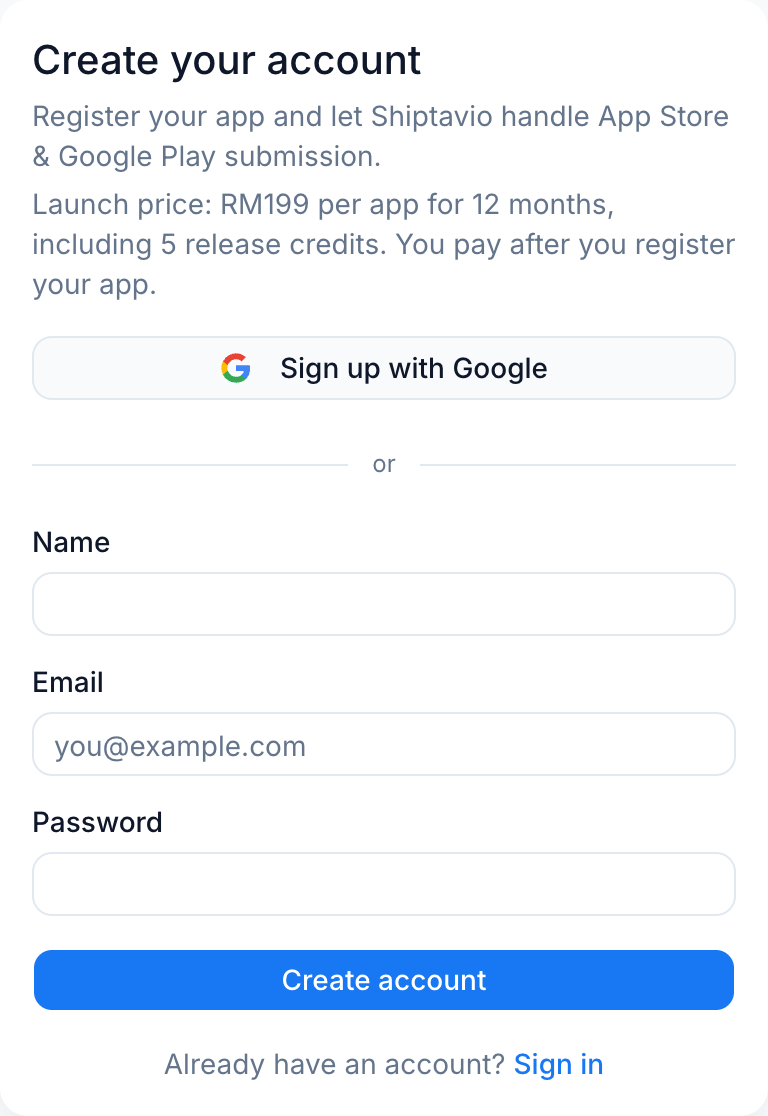
Create your account
Register with email and password, or continue with Google. Email accounts receive a 6-digit code and must confirm it before the first sign-in. Google accounts arrive verified.
App details
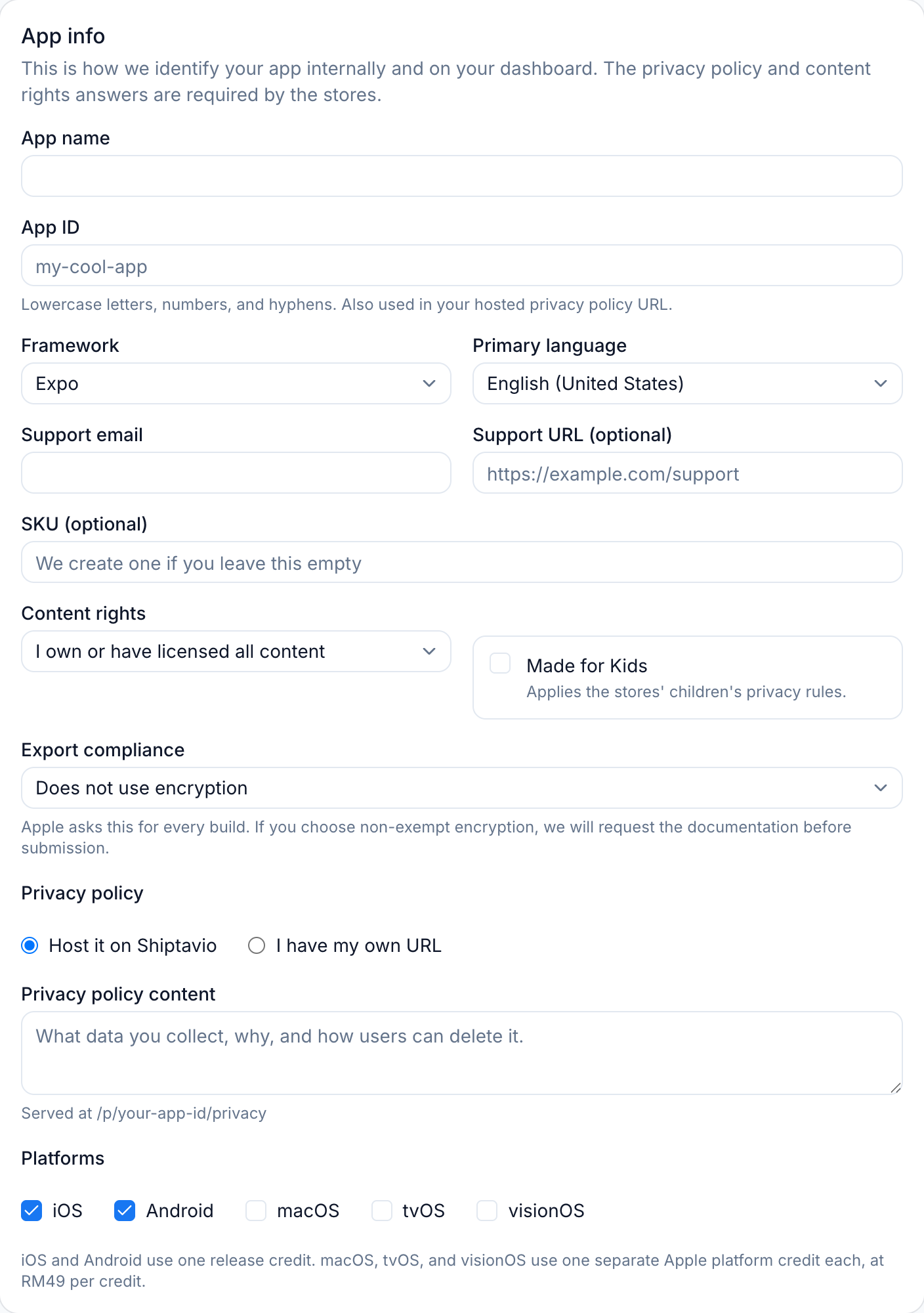
Describe the app
The first wizard step collects how we identify the app and which stores it targets. Use the real production identifiers here. The app ID becomes part of the hosted privacy policy URL, and the bundle or package identifier is what the stores bind the build to.
- App name and a lowercase app ID with letters, numbers, and hyphens.
- Framework: Expo, React Native CLI, Flutter, or other.
- Target platforms. iOS and Android share one release credit; macOS, tvOS, and visionOS use a separate Apple platform credit each.
- Support email and, if your app has login, the demo credentials the reviewer will use.
- Privacy policy text for us to host, or a public URL you already maintain.
Source
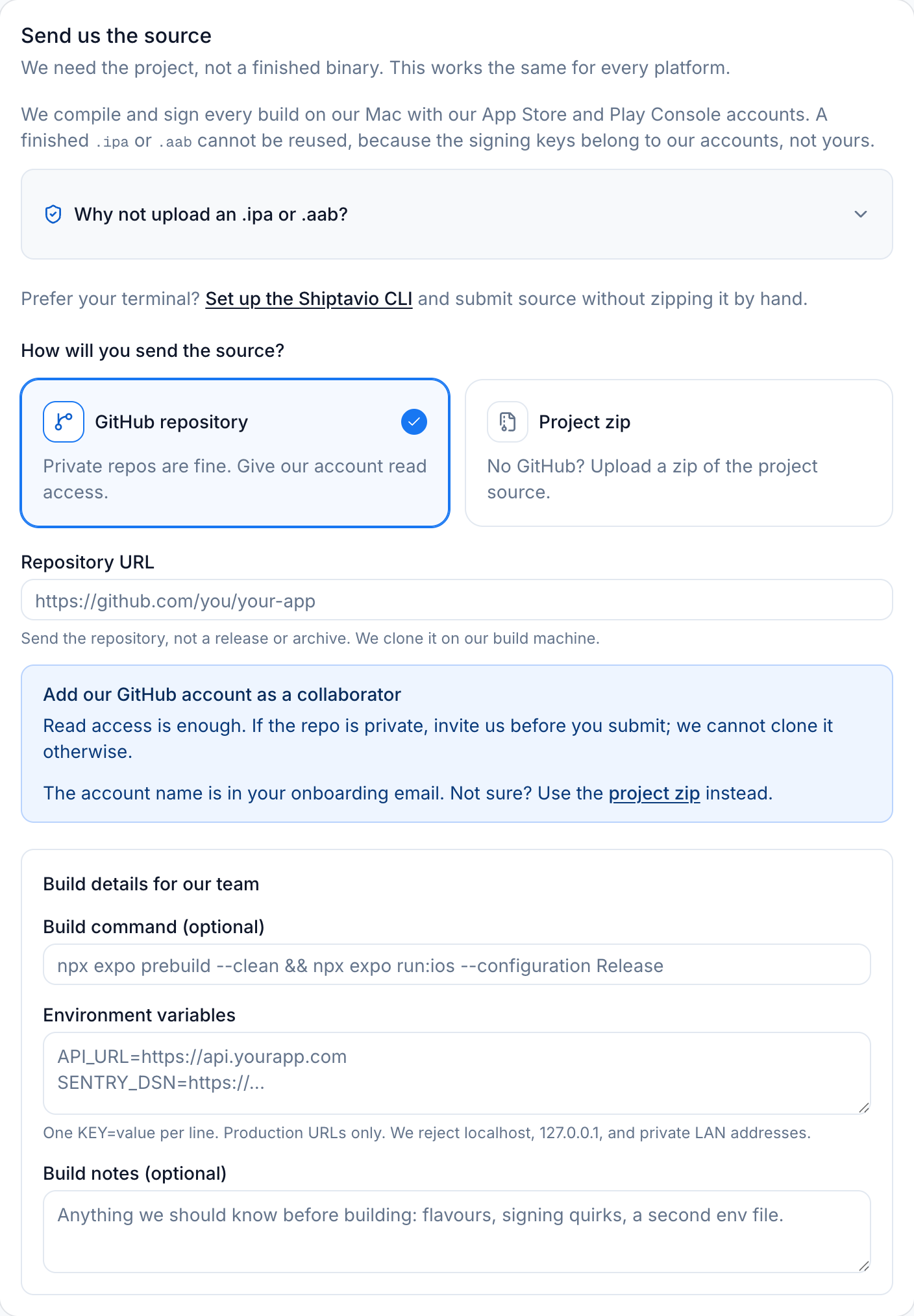
Send the source
Send the project, not a finished build. Every app is compiled and signed with the developer account it will be published under, so an .ipa or .aab built elsewhere cannot be reused.
GitHub repository
Private repositories are fine. Invite the publishing account shown in the form as a read-only collaborator. Send the repository URL, not a release or archive link.
Project zip
Up to 200 MB. Leave out node_modules, build output, and .git. Include the native ios and android folders if your project has them.
Add the exact build command and any environment variables the build needs, one KEY=value per line. Production URLs only. We reject localhost, 127.0.0.1, 10.0.2.2, and private LAN addresses.
Store listing
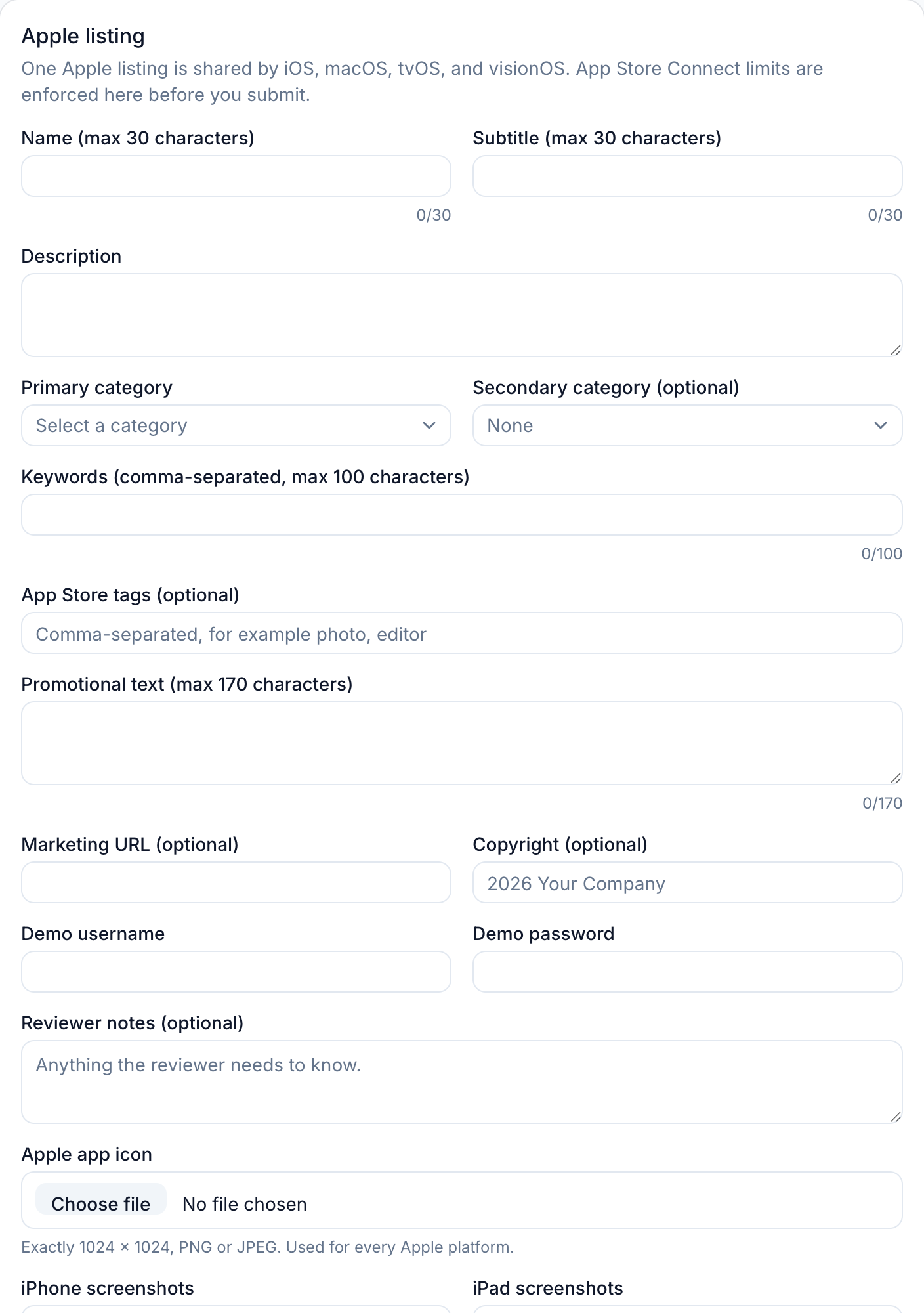
Build the store listing
This is the longest step. Apple and Google use different fields, different categories, and different screenshot sizes, so the wizard keeps them separate. The Apple listing is shared by iOS, macOS, tvOS, and visionOS; Google Play has its own.
- Name, subtitle or short description, full description, and keywords within the store limits.
- Category per platform. The lists are separate because Apple and Google name them differently.
- App icon, screenshots, and the Android feature graphic at the exact dimensions.
- Demo username and password if the app has a login.
- Reviewer notes for anything the store team might trip over.
iOS app icon
1024 x 1024 px
PNG or JPEG, no transparency
Android app icon
512 x 512 px
PNG or JPEG
Android feature graphic
1024 x 500 px
PNG or JPEG
iPhone screenshot
1179 x 2556, 1206 x 2622, or 1320 x 2868
Portrait or landscape
iPad screenshot
2064 x 2752 or 2048 x 2732
Required if the app runs on iPad
Android screenshot
1080 x 1920 recommended
320 to 3840 px per side
Full asset list, including macOS, tvOS, and visionOS
| Asset | Platform | Required size |
|---|---|---|
| App icon | iOS | Exactly 1024 x 1024 |
| App icon | Android | Exactly 512 x 512 |
| Feature graphic | Android | Exactly 1024 x 500 |
| Screenshot | iOS, iPhone | 1179 x 2556, 1206 x 2622, or 1320 x 2868 |
| Screenshot | iOS, iPad | 2064 x 2752 or 2048 x 2732 |
| Screenshot | Android | 320 to 3840 px per side, long side at most 2x the short side |
| Screenshot | macOS | 1280 x 800, 1440 x 900, 2560 x 1600, or 2880 x 1800 |
| Screenshot | tvOS | 1920 x 1080 or 3840 x 2160 |
| Screenshot | visionOS | 3840 x 2160 |
| Product page header, optional | iOS | 3840 x 1646 (21:9) or 5244 x 2950 (16:9), no transparency |
| Search results asset, optional | iOS | 3:2 between 1920 x 1280 and 3840 x 2560, or 5244 x 2950, no transparency |
| App preview, optional | iOS | Up to 3 .mp4, .mov, or .m4v files, 200 MB each |
| Routing coverage, optional | iOS | GeoJSON .geojson or .json, up to 20 MB |
Accepted file types for images: PNG or JPEG only. Apple requires at least one iPhone screenshot. If the app runs on iPad, Apple also requires at least one iPad 13-inch screenshot.
Compliance
Complete compliance
Compliance is not paperwork for its own sake. These answers become the store questionnaires, and a wrong answer can hold up review after the build is already uploaded.
- Apple age-rating questionnaire, with an explicit confirmation.
- Google Play content rating answers for the IARC questionnaire.
- Privacy and data safety answers: what you collect, why, and whether you track users.
- Reviewer contact details, plus a demo login if the app needs one.
- The mandatory checklist: rights, production APIs, free app, account deletion, and review timing.
- The publishing consent. Your app is published under the publisher of record named there.
The checklist is enforced
Every box must be ticked before the submit button works. That includes the publishing consent and the statement that your APIs are production HTTPS endpoints.
Review
Review and submit
The last step shows what you entered. Check the app ID, the bundle or package identifier, the screenshots, and the demo login before you send it. After submission, the release appears in your dashboard with a status you can follow.
We review the app first. If it is a fit, you pay RM199 for 12 months and 5 release credits are added. The base credit is used when we start the build, not when you submit the form.
What to double-check
Timeline
After you submit
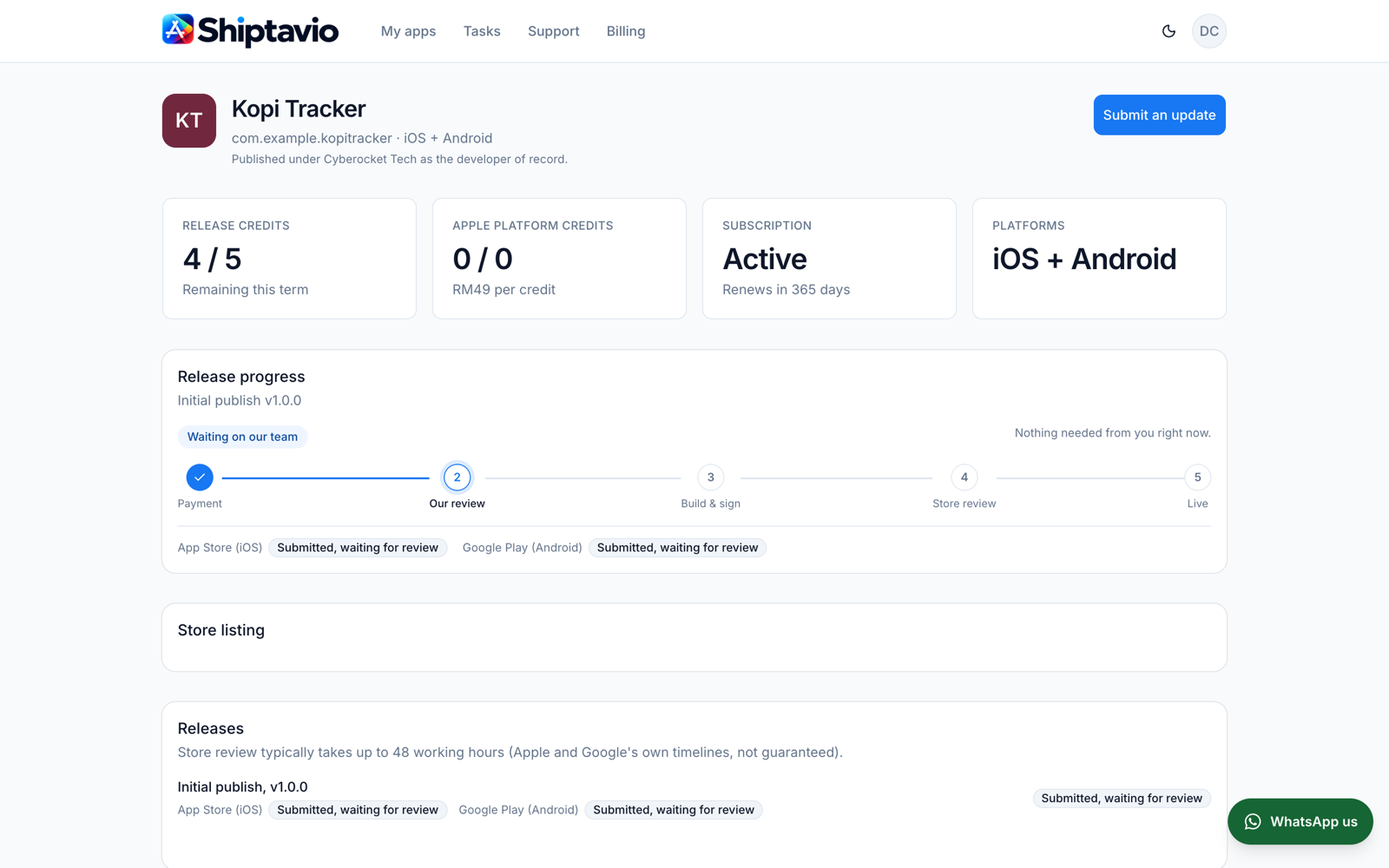
The dashboard shows the current stage and keeps a history of every change. The store review clock starts only after we upload a signed build.
1. We review the submission
A person on our team reads the source and checks the listing. If something is unclear or not allowed, we send it back before any credit is used.
2. You pay for the term
Once the app is approved, you pay RM199 for 12 months. That adds 5 release credits: your first publish plus up to 4 updates.
3. We build and sign
The base credit is used when we start the build. We compile with your build command, sign with our certificates, and upload to both stores.
4. Apple and Google review
Store review can take up to 48 working hours, and the stores control that timeline. We handle the back-and-forth and tell you what changed.
5. Your app goes live
We add the store links to your dashboard. Later updates use the same flow and one release credit each.
Later releases
Sending an update
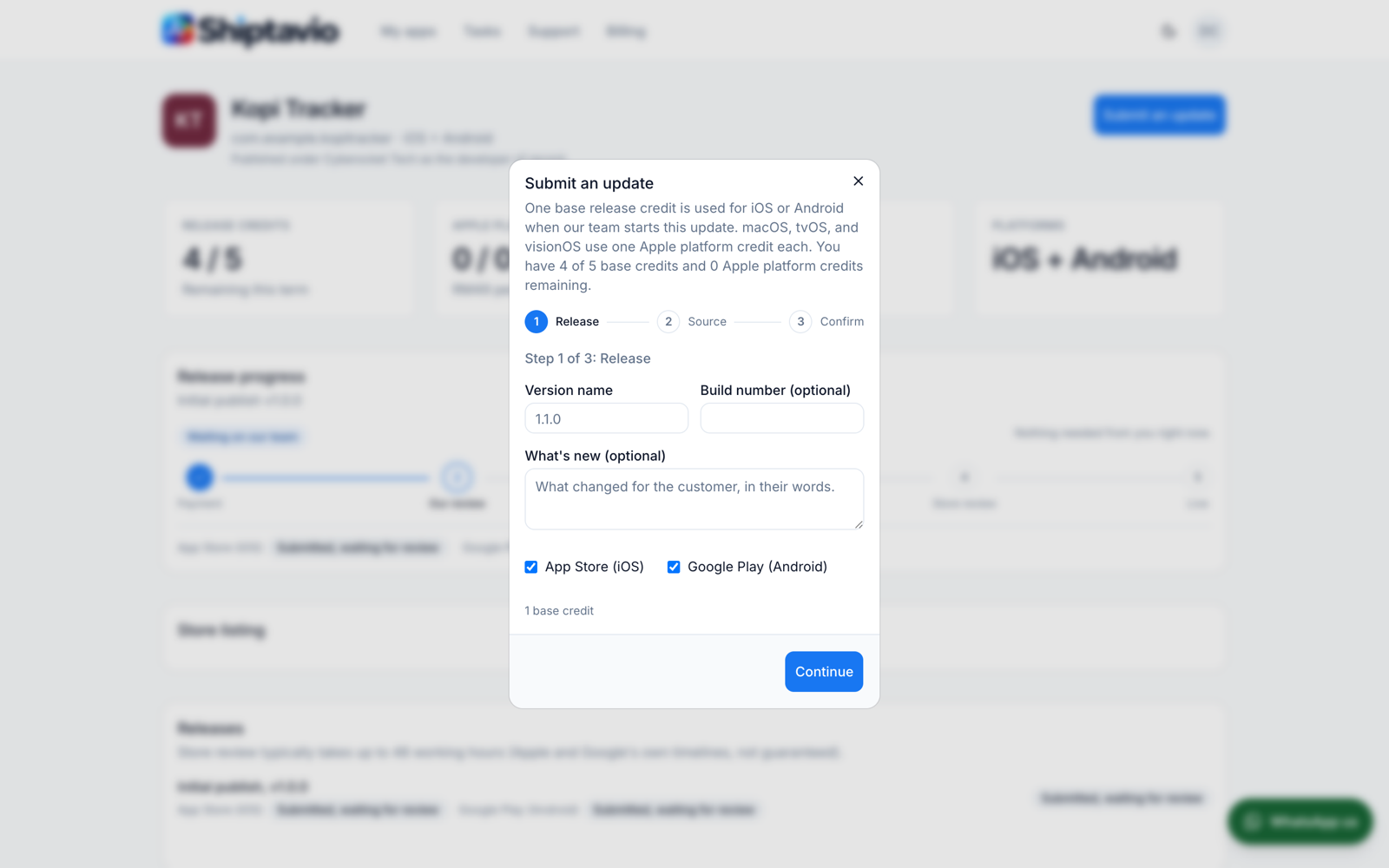
Open the app in your dashboard and choose Submit an update. The update form has three steps: release details, source, and confirmation. Each update uses one release credit when we start the build.
Build failures caused by the project itself are your responsibility to fix, and resubmitting the same release does not use another credit. A store rejection also keeps the same credit.
Questions
Common questions
Do I need a Mac or a developer account?
No. We build on our own Mac and publish with our Apple and Google developer accounts. You send source, assets, and listing text.
Can I upload a finished .ipa or .aab?
No. Every build is signed with our certificates and uploaded with our Play Console key, so we have to compile from source. A binary you built with your own keys cannot be reused.
How long does publishing take?
Our review comes first. After that, store review can take up to 48 working hours, and that timeline belongs to Apple and Google. We cannot guarantee a store decision or a fixed launch date.
Who owns the app?
You do. The app is published under Cyberocket Tech as the developer of record, and we can transfer it to your own developer accounts later.
Can I publish a paid app or in-app purchases?
No. This service is for free apps only. Ads through a service like AdMob are fine because the revenue goes to your own ad account.
What happens if the store rejects the release?
We work with you on the fix and resubmit the same release. A store rejection does not use another release credit.
Where do I follow the progress?
The app page in your dashboard shows the current stage for each platform. We also email you when the status changes or we need something.
Ready to send your first app?
Create an account, then register the app. You can come back to this page from the dashboard at any time.